Medical Imaging Computers: A Guide to Workstations, Consoles and Other Computer Parts
Computers play an essential role in modern medical imaging, from operating scanners and acquiring data to processing, displaying, and transferring medical images. Depending on the imaging system, you may come across terms such as console computer, imaging workstation, PACS workstation, ICN computer, or DORA computer.
But what do these different imaging computers actually do, and what should you know when one needs replacing?
In this guide, we look at some of the most common types of medical imaging computers and workstations, their functions, and what to consider when sourcing a replacement.
What Is an Imaging Computer?
An imaging computer is a broad term for computers used to perform different functions within medical imaging equipment and workflows.
Depending on the system and modality, an imaging computer may be responsible for:
- Operating or controlling the imaging system
- Acquiring imaging data
- Reconstructing or processing images
- Displaying medical images
- Transferring imaging data
- Communicating with other systems

A CT, MRI, mammography, or other imaging system can therefore use several computers, each configured for a specific purpose.
The terminology can also vary considerably between manufacturers and system generations. For example, one manufacturer may refer to a particular component as a workstation, while another may use a system-specific name for a computer performing a similar function.
Imaging Computers Explained: Consoles, Workstations, PACS and More
There are several types of computers and workstations used throughout medical imaging. Although their exact functions depend on the system, some of the most common include:
Console Computers
Console computers are used by operators to control the imaging system and manage examinations and image acquisition. They provide an interface between the operator and the scanner, and their configuration depends on the modality, manufacturer, and system model.
Medical Imaging Workstations
A medical imaging workstation is used to view, process, analyze, or interpret medical images. Some workstations are designed for diagnostic interpretation, while others provide additional processing or review capabilities outside the scanner’s main console.
A diagnostic workstation, for example, is designed to support the detailed review and interpretation of medical images.
PACS and DICOM Workstations
A PACS workstation provides access to images stored and distributed through a Picture Archiving and Communication System, or PACS. It allows healthcare professionals to retrieve and work with images from different imaging modalities.
A DICOM workstation works with medical images and information using the DICOM standard. DICOM enables compatible medical imaging equipment and systems to exchange imaging data.
For this reason, terms such as PACS computer, DICOM computer, PACS workstation, and DICOM workstation may appear when looking for computers used for medical image viewing and management.
Acquisition and Reconstruction Computers
Acquisition computers handle data received from the imaging equipment during an examination.
Reconstruction computers then process acquired data to create images that can be viewed and analyzed.
Depending on the modality and scanner design, these functions may be handled by separate computers or combined within a larger system architecture.
ICN, DORA and Other System-Specific Computers
Imaging equipment manufacturers also use system-specific computers. These can include ICN computers, DORA computers, host computers, processing computers, and other control or reconstruction computers.
Their exact role and configuration depend on the manufacturer, imaging system, and scanner generation. This makes identifying the correct system and computer particularly important when looking for a replacement.
How Do Imaging Computers Differ Between Modalities?
The basic functions of imaging computers are similar across many modalities, but their configuration and purpose depend on the type of imaging equipment.
CT Computers and Workstations
CT scanners can use computers for scanner operation, image acquisition, reconstruction, processing, and viewing. Depending on the system, this may include the main operator console as well as separate reconstruction computers or CT workstations for further image processing and review.
MRI Computers and Workstations
MRI systems also rely on multiple computers for system control, acquisition, reconstruction, and image processing. An MRI workstation may provide additional tools for visualization, post-processing, or reviewing images outside the main scanner console.
Mammography Workstations
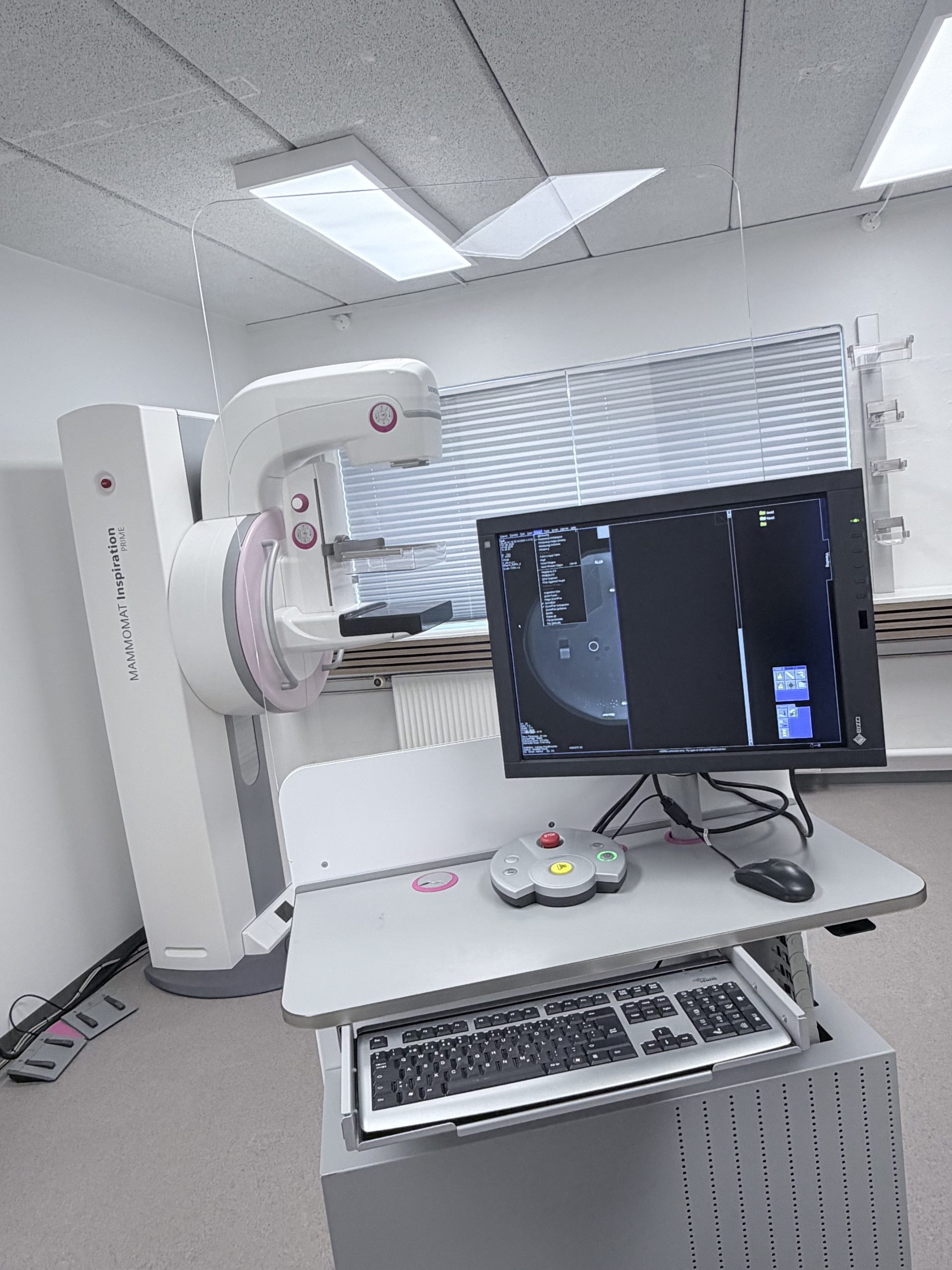
Mammography systems can include acquisition computers as well as dedicated mammography workstations for reviewing and interpreting images. Diagnostic mammography workstations are specifically configured to support the detailed display and evaluation of mammography images.
Imaging computers and workstations are also used across X-ray, ultrasound, PET/CT, and other medical imaging modalities.
You can read our Guide to Mammography Accessories to learn more about the mammo workstations and consoles.
When Does an Imaging Computer Need Replacing?
A problem with an imaging computer can affect individual functions or prevent an imaging system from operating as intended.
Depending on the affected computer, possible signs of a problem may include:
- The computer no longer starts or boots correctly
- Frequent crashes or system instability
- Imaging software does not load
- Images cannot be processed or reconstructed
- Images cannot be displayed correctly
- Communication problems occur between the computer and imaging system
- DICOM transfers fail
- The system becomes unusually slow or unresponsive
- A hardware component within the computer fails
However, these symptoms do not necessarily mean that the computer itself needs replacing. Similar issues can have several causes, so the problem should first be diagnosed by qualified medical imaging service personnel.
Once the faulty computer has been identified, the next step is determining which replacement is compatible with the imaging system.
Replacing a Medical Imaging Computer: What Should You Know?
Replacing a medical imaging computer is not always as simple as replacing a standard office computer.
The computer may be specifically configured to operate with a particular scanner or medical imaging application. Hardware, operating system, software, interfaces, and system configuration can all play a role in determining compatibility.
This is particularly important for older imaging systems, where the original computer may have been discontinued or newer computer configurations may not be compatible with the existing equipment.
Before requesting a replacement imaging computer or medical imaging workstation, gather as much information as possible about the existing system and computer.
Useful information can include:
- Imaging modality: For example, CT, MRI, mammography, X-ray, or another modality.
- System manufacturer: For example, GE, Siemens, Philips, or Canon.
- System model: The exact scanner model helps determine which computers may be compatible.
- Computer or workstation type: For example, console, acquisition computer, reconstruction computer, ICN computer, DORA computer, or diagnostic workstation.
- OEM part number: The part number can be one of the most useful pieces of information when identifying the correct replacement.
- Computer model and hardware configuration: Hardware specifications and configuration may differ even between computers used with similar systems.
- Revision or version: Different revisions may not always be interchangeable.
- Software version, where relevant: Software compatibility may also need to be considered for certain computers and workstations.
If you are uncertain about the exact computer you need, photos of the computer and its labels can also help identify the correct replacement.
Read our guide on Making it Easy to Find Medical Imaging Part Numbers, if you are unsure how to locate the part number.
Find a Replacement Imaging Computer
Looking for an imaging computer, medical imaging workstation, or replacement console? Our parts team can help you identify a compatible option for your imaging system.
When contacting us, provide the manufacturer, system model, OEM part number, and computer type where possible.
Sign up to get monthly inventory updates.
Why Consider a Used Imaging Computer?
When an imaging computer fails, purchasing a new replacement is not necessarily the only option. A used imaging computer or workstation can provide a practical alternative, particularly when maintaining an older imaging system.
Depending on the PC and its availability, choosing a used replacement offers several advantages:
- Lower replacement costs: Used computers and workstations can offer savings compared with purchasing new equipment.
- Support for older imaging systems: Compatible computers may remain available on the secondary market even when the original configuration is no longer produced.
- Potentially shorter lead times: An imaging computer that is already available in stock may be faster to source than a new replacement.
- Extended equipment lifetime: Replacing a failed computer can help keep an existing imaging system operational without replacing a much larger part of the system.
- More sustainable equipment use: Reusing functional imaging computers and components can help reduce electronic waste and extend the useful lifetime of existing medical equipment.
For older scanners in particular, sourcing a compatible used computer can be valuable when the original computer or workstation is no longer readily available from the manufacturer.
However, compatibility and quality are important. A computer that appears similar externally may not necessarily have the correct hardware, software, interfaces, or configuration for a particular imaging system.
Find the Right Computer for Your Imaging System
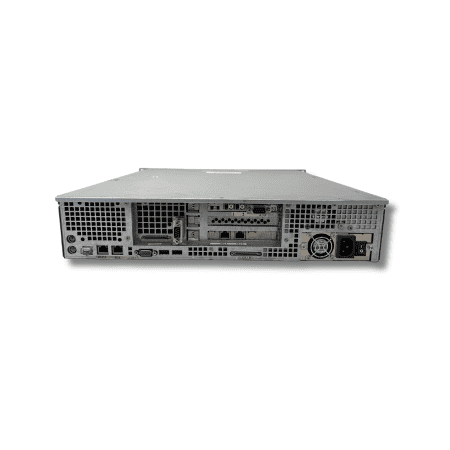
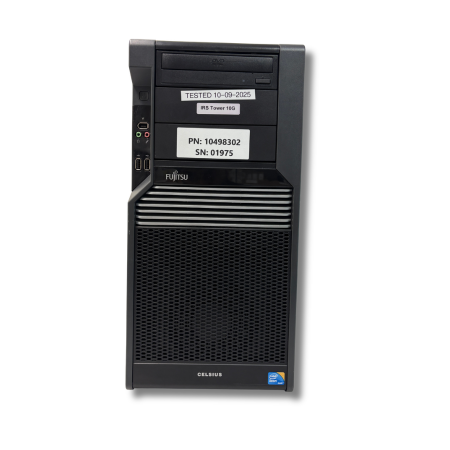
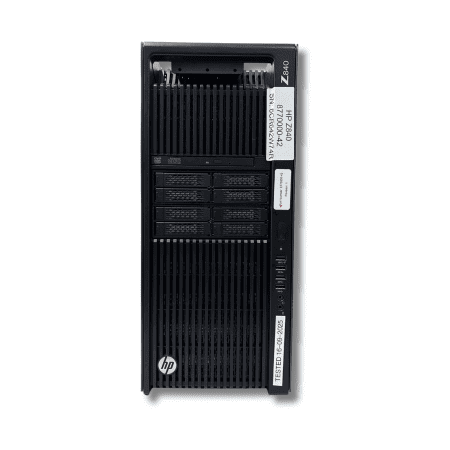
At LBN Medical, we supply medical imaging computers, workstations, consoles, and related computer parts for CT, MRI, mammography, X-ray, and other medical imaging systems from leading manufacturers.
Our inventory includes CT and MRI computers, medical imaging workstations, diagnostic workstations, ICN computers, DORA computers, and other system-specific computer components.
All imaging computers in our stock go through our quality assurance lab before being sold and shipped to our customers. This helps us ensure that you receive high-quality used imaging parts that meet our quality standards.
Looking for a specific CT workstation, mammography workstation, PACS workstation, console, or another imaging computer? Request a parts quote and provide the manufacturer, system model, OEM part number, and computer information where possible.
If you are unsure exactly which computer you need or have questions about compatibility, feel free to contact us. Our experienced team will be happy to help you find the right solution for your imaging system.

FAQ – Medical Imaging Computers
What is a medical imaging workstation?
A medical imaging workstation is a computer designed to display, process, analyze, or interpret medical images. Its exact functionality depends on its purpose, modality, software, and configuration.
What is the difference between an imaging workstation and a console?
A console is generally associated directly with operating an imaging system and managing examinations or image acquisition. An imaging workstation is typically used for viewing, processing, analyzing, or interpreting the images produced by the system.
What is a PACS workstation?
A PACS workstation provides access to medical images stored and distributed through a Picture Archiving and Communication System. It can be used to retrieve, view, and work with images from modalities such as CT, MRI, X-ray, and mammography.
What is a DICOM workstation?
A DICOM workstation is a computer or workstation capable of working with medical imaging data using the DICOM standard. DICOM enables compatible imaging devices and systems to exchange medical images and related information.
Can you replace a medical imaging computer with a standard PC?
Not necessarily. Medical imaging computers may require specific hardware, software, interfaces, operating systems, and configurations to work correctly with the imaging system. Compatibility should therefore be verified before replacing an imaging computer.
Can you buy used medical imaging computers?
Yes. Used medical imaging computers and workstations can be an alternative to new replacements, particularly for older systems or computer configurations that are difficult to source new. It is important to ensure that the computer is compatible with the imaging system and has been properly quality checked.
What information do I need when ordering a replacement imaging computer?
The most useful information includes the imaging modality, manufacturer, system model, computer type, OEM part number, hardware configuration, and relevant revision or software information. Photos of the existing computer and its labels can also help identify the correct replacement.